วันอังคารที่ 17 พฤศจิกายน พ.ศ. 2558

แชร์Folder LinuxMint -Windows Virtualbox

Steps for File and folder sharing between Linux and Virtual Box OSE ( windows  virtual machine )

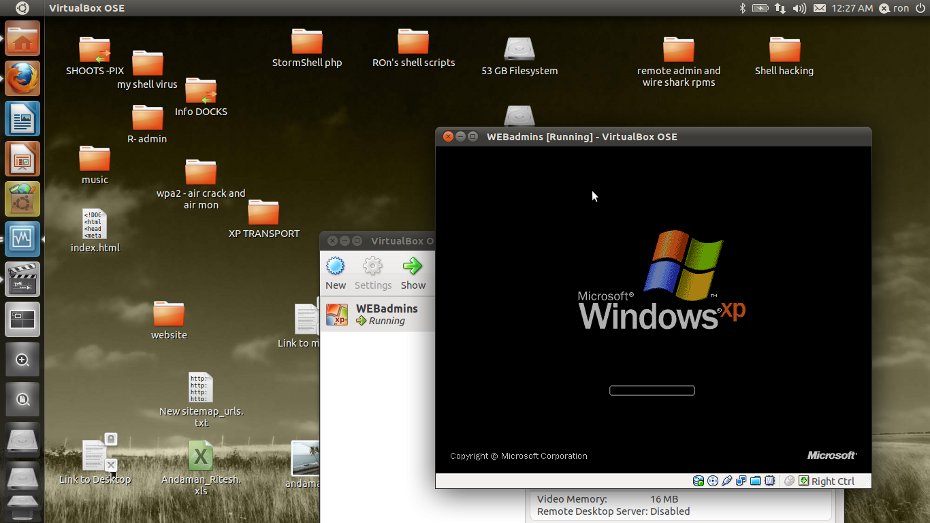
Here is the picture tutorial for sharing files and folder in between Host linux (ubuntu 11.04) and windows vitrual machine running inside ubuntu. I have already posted a documentation on it in my previous post.

STEPS:-

- Start VM Vitrual Box OSE on Ubuntu 11.04
Linux Starting Virtual Box OSE in linux UBUNTU 11.04


Starting Virtual Box OSE in linux UBUNTU 11.04

No Devices USB For Virtualbox Ubuntu Linuxmint

I cannot see any USB devices within my VirtualBox guest VMs from my host. How do I enable access for my guest VMs?
                               ss of missing USB devices
ทั้งหมดที่เชียนมาทุกอย่างต้องReboot ถึงจะใช้งานได้...ครับ


วันอังคารที่ 10 พฤศจิกายน พ.ศ. 2558

Install Composer In Linux

Installing Composer[Dependency Manager for php] in Linux OS[Easy Way]


Hello friends, in this post i'm gonna show you how to install Composer in Linux.
So prerequisite for this tut is you must read and implement the steps provided in this article on setting up php in path!

After doing this you must have Curl(basically used to transfer data from or to a server using various supported protocols like FTP, HTTP, HTTPS etc..) installed on your machine. if that's not the case then use the following command to install curl in to your machine.

วันจันทร์ที่ 9 พฤศจิกายน พ.ศ. 2558

Mysql no root password

1.เข้าไปDatabase /User
linux Yes ALL PRIVILEGES Yes Edit Privileges Edit PrivilegesExport Export
localhost Yes ALL PRIVILEGES Yes Edit Privileges Edit PrivilegesExport Expor

2.Edit Edit Privileges
 
Change password
  Re-type: 
 ใส่รหัสผ่านของRoot แล้ว SAVE

3.Config ที่ File :config.inc.php
/* Authentication type */
#$cfg['Servers'][$i]['auth_type'] = 'config';
$cfg['Servers'][$i]['auth_type'] = 'cookie';เปลี่ยน config =>cookie
$cfg['Servers'][$i]['user'] = 'root';
$cfg['Servers'][$i]['password'] = '#1234';


กู้ข้อมูล Partition แบบข้อมูลหายทั้งลูกหรือ ข้อมูลหายทั้งPartition

หลักการไม่มีอะไรมากครับใช้โปรแกรมPartition ทั่วไปเช่น Partition Megic หรือโปรแกรมPartition ที่อยู่ในแผ่น ไฮเรนบูทนั่นล่ะครับ แล้วแต่ใครถนัดโปรแกรมใหน

ตัวอย่างใช้ paragon partition  manager

วิธีก็ เลือกเปิดโปรแกรมที่จะใช้ขึ้นมาขึ้นมา
 

วันจันทร์ที่ 2 พฤศจิกายน พ.ศ. 2558

Install Mariadb linuxmintubuntu

Installing MariaDB as MySQL replacement

We will install MariaDB instead of MySQL. MariaDB is a MySQL fork maintained by the original MySQL developer Monty Widenius. MariaDB is compatible with MySQL and provides interesting new features and speed improvements when compared to MySQL. Run the following command to install MariaDB-server and client:

Installing MariaDB as MySQL replacement

We will install MariaDB instead of MySQL. MariaDB is a MySQL fork maintained by the original MySQL developer Monty Widenius. MariaDB is compatible with MySQL and provides interesting new features and speed improvements when compared to MySQL. Run the following command to install MariaDB-server and client:
apt-get -y install mariadb-server mariadb-client
Now we set a root password for MariaDB.
mysql_secure_installation
You will be asked these questions:
Enter current password for root (enter for none): <-- press enter
Set root password? [Y/n] <-- y
New password: <-- Enter the new MariaDB root password here
Re-enter new password: <-- Repeat the password
Remove anonymous users? [Y/n] <-- y
Disallow root login remotely? [Y/n] <-- y
Reload privilege tables now? [Y/n] <-- y
Test the login to MariaDB with the "mysql command"
mysql -u root -p
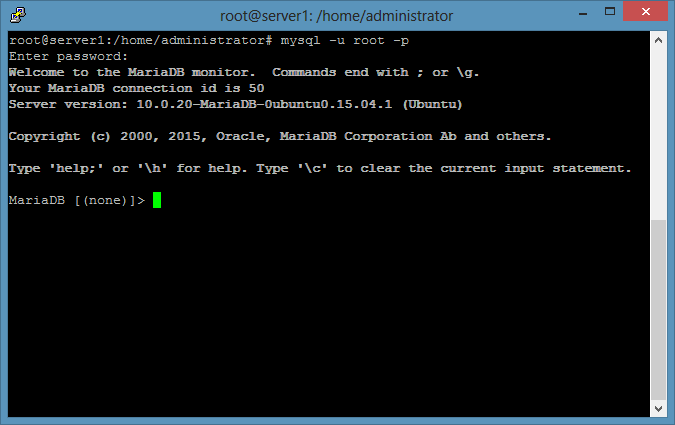
and enter the MariaDB root password that you've set above. The result should be similar to the screenshot below:
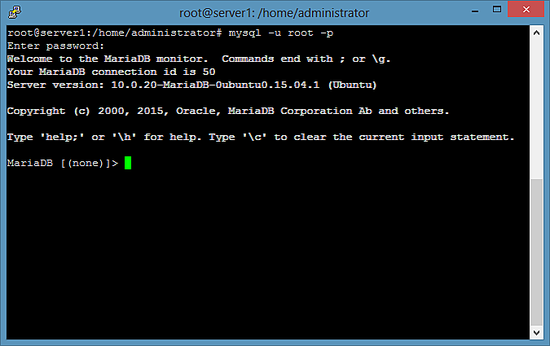
Test the MariaDB login on the shell.
To leave the MariaDB shell, enter the command "quit" and press enter.